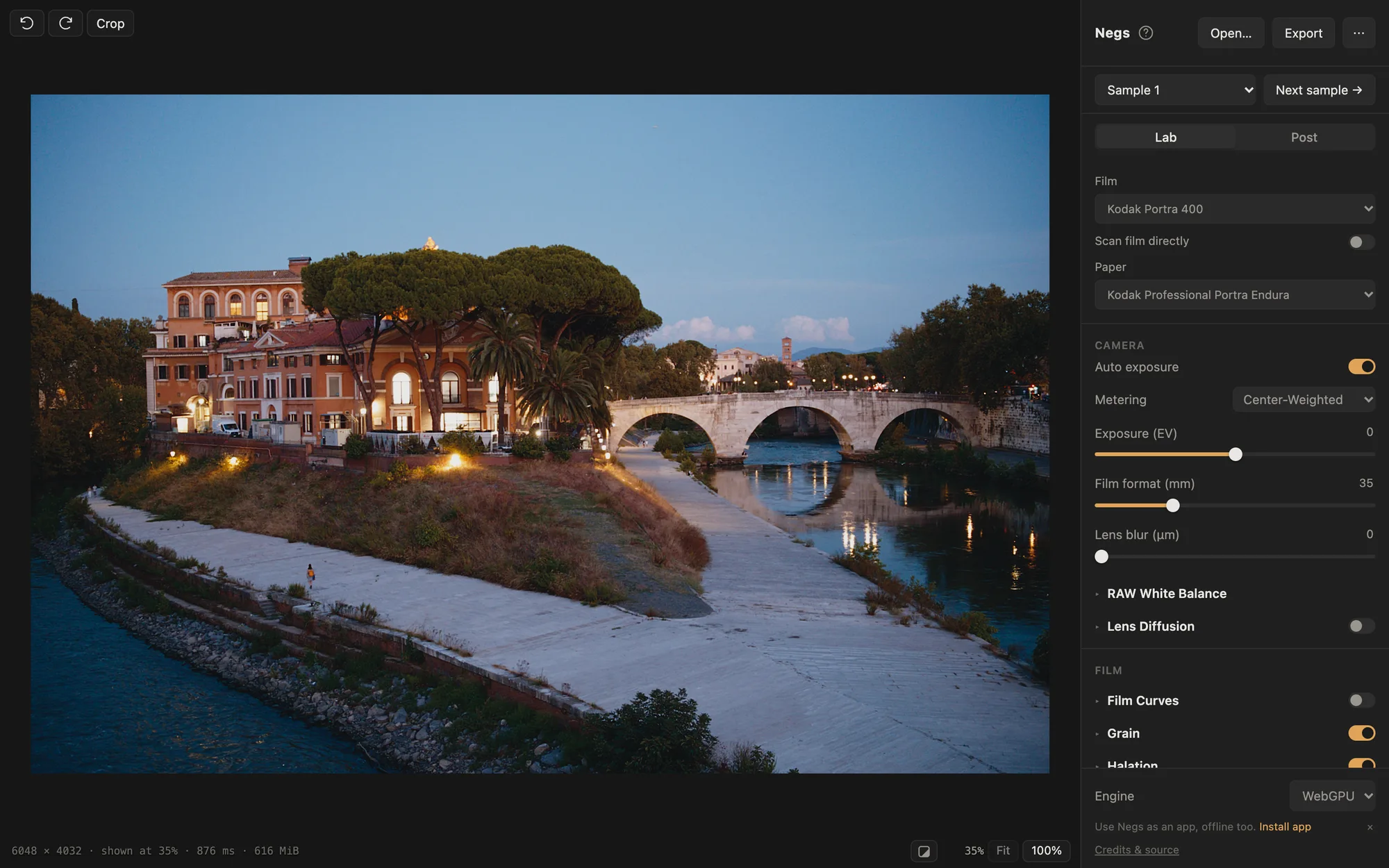
Nothing to install
The film engine is compiled to WebAssembly and runs in your browser, on your GPU through WebGPU where the browser supports it. Your photos are never uploaded. You can install it as an app and use it offline.
01 ▸ WHAT IS SPEKTRAFILM
spektrafilm is an open-source Python project that simulates analog photography as physics. It turns your photo back into light, exposes it onto the dye layers of a real film stock, prints the negative onto paper through an enlarger and scans the result. Each step uses the manufacturer’s published data for that stock.
Running it means setting up Python, and developing a large photo can take well over a minute. Negs runs the same model as an app you can play with.
02 ▸ WHAT NEGS ADDS
The film engine is compiled to WebAssembly and runs in your browser, on your GPU through WebGPU where the browser supports it. Your photos are never uploaded. You can install it as an app and use it offline.
Every slider updates the photo while you move it, so you see what the film, the paper and the grain do as you change them.
Open RAW files from most cameras, including 60 MP medium format, plus JPEG, TIFF and PNG. Set white balance for RAWs before the film sees them.
On the desktop app, a 60 MP photo develops at full resolution in 2.1 s on the GPU. Python spektrafilm takes 108 s on the same Mac. Benchmarks.
Import presets saved from Python spektrafilm, including community presets, and share your own as a file or a link.
Crop and straighten, add a white, keyline or 35mm border with the stock’s edge print, and export 8- or 16-bit TIFF, PNG or JPEG, or a .cube LUT.
03 ▸ BEFORE / AFTER
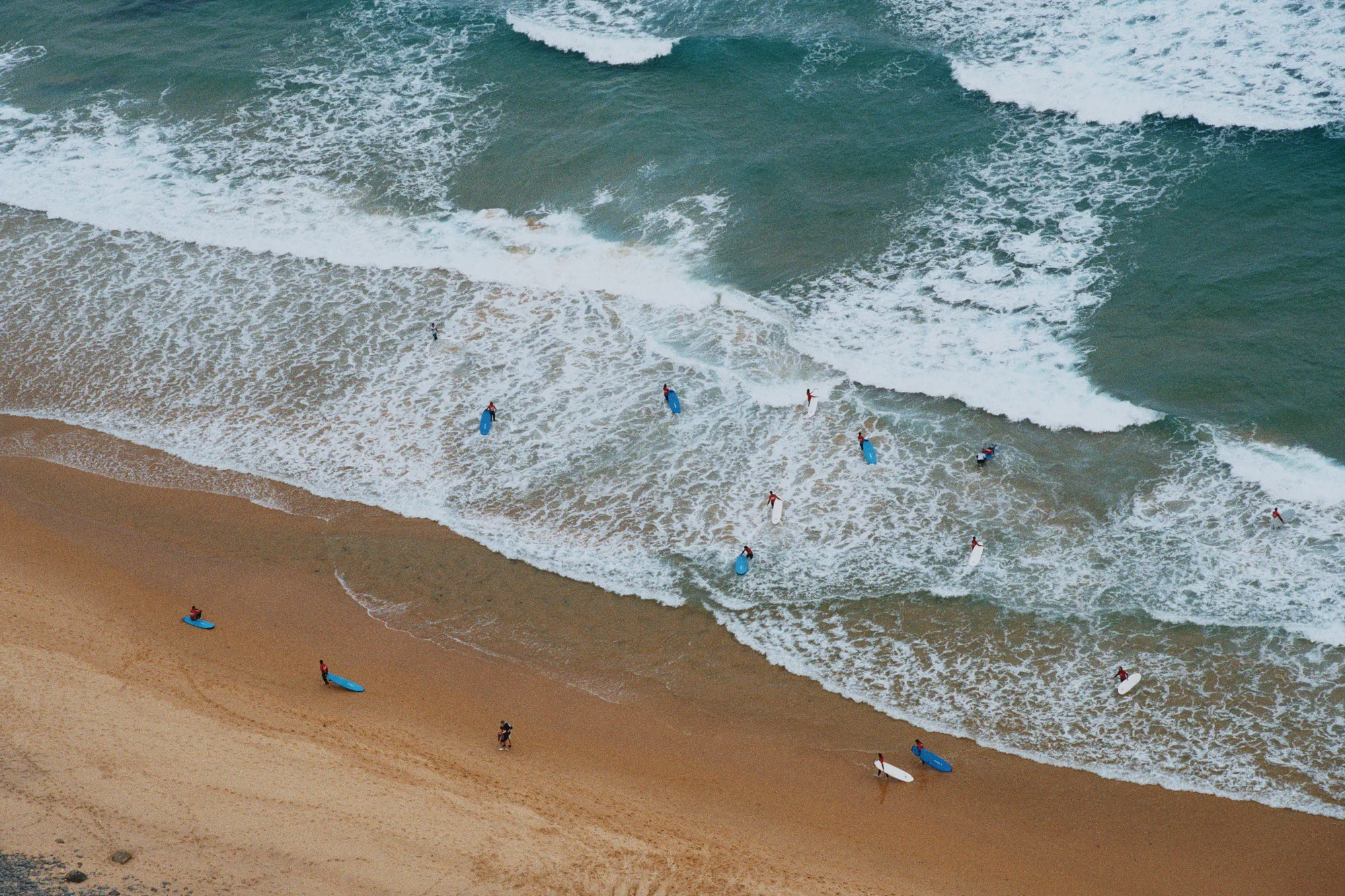
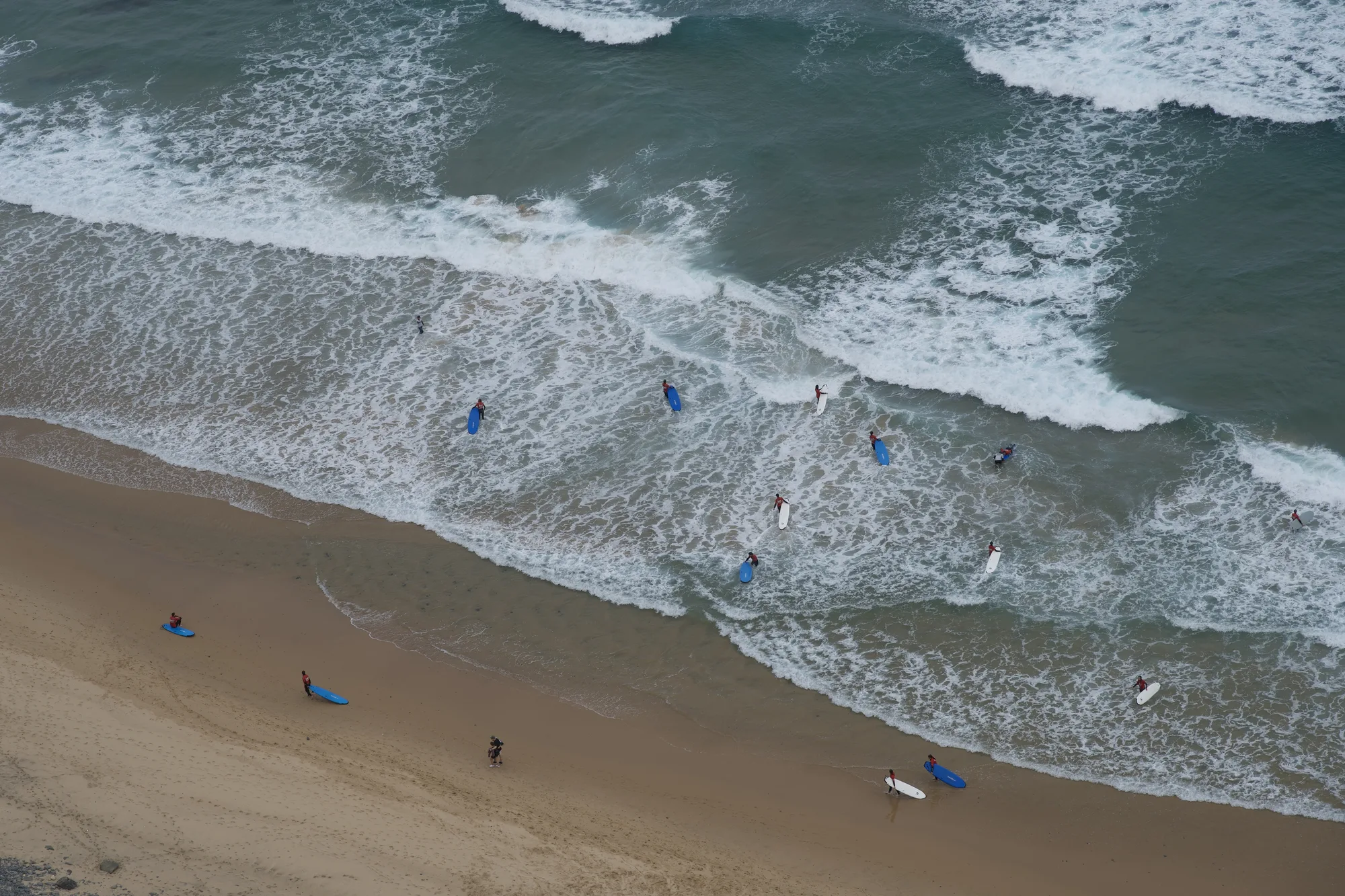 RAW · Apple default
Negs · Portra 400
Drag to compare: the RAW as macOS shows it on the left, Negs on Kodak Portra 400 on the right.
04 ▸ HOW TO
Go to getnegs.com/try in a recent browser. It loads once, then also works offline.
Drop in a RAW, JPEG, PNG or TIFF, or try a sample photo.
Kodak Portra 400 on Portra Endura is a good start. Or scan the film directly, without paper.
Set exposure, grain and halation, add a border, and export at full resolution.
05 ▸ STOCKS
Kodak, Fujifilm and Ilford stock names are trademarks of their owners. Negs is not affiliated with them.
No. Negs is an independent, free and open-source project. Its film model and stock data come from Andrea Volpato’s spektrafilm, by way of turbasvin’s Rust port spektrafilm-rs. Please report problems with Negs on its own GitHub, not to spektrafilm.
Very close. Negs’s 64-bit reference render is tested against Python spektrafilm and matches it to within a millionth. The GPU render stays within ΔE00 0.02 of that reference, and the web app matches the desktop apps to within one 8-bit step. Two colour-management defaults differ from upstream on purpose. The developer notes have the details.
No. The whole simulation runs on your device, in your browser. Nothing you open leaves your computer.
Any recent browser. Where the browser supports WebGPU, Negs develops on your GPU. Elsewhere it uses the CPU, which is slower.
Yes. Negs is also a desktop app: macOS 14 or later (Apple silicon and Intel), Windows x64, and x86_64 Linux as a Flatpak, an AppImage or an Arch package. The desktop apps use the same engine with native GPU rendering.
Yes. Negs is free and open source under the GPL-3.0. The film profiles from spektrafilm are under CC BY-SA 4.0.